
Many Lagos SMEs invest in a new website, launch it… and then forget about it. As long as the homepage loads, it feels like everything is fine. Months later, something breaks, the site gets hacked, or enquiries quietly drop—but by then, fixing it is more expensive and stressful.
Website maintenance exists to prevent those “sudden” problems and keep your site working as a real business asset, not just an online brochure. This guide explains what website maintenance actually is, why it matters for Lagos SMEs, and how to decide what level of support you need.
What is website maintenance, really?
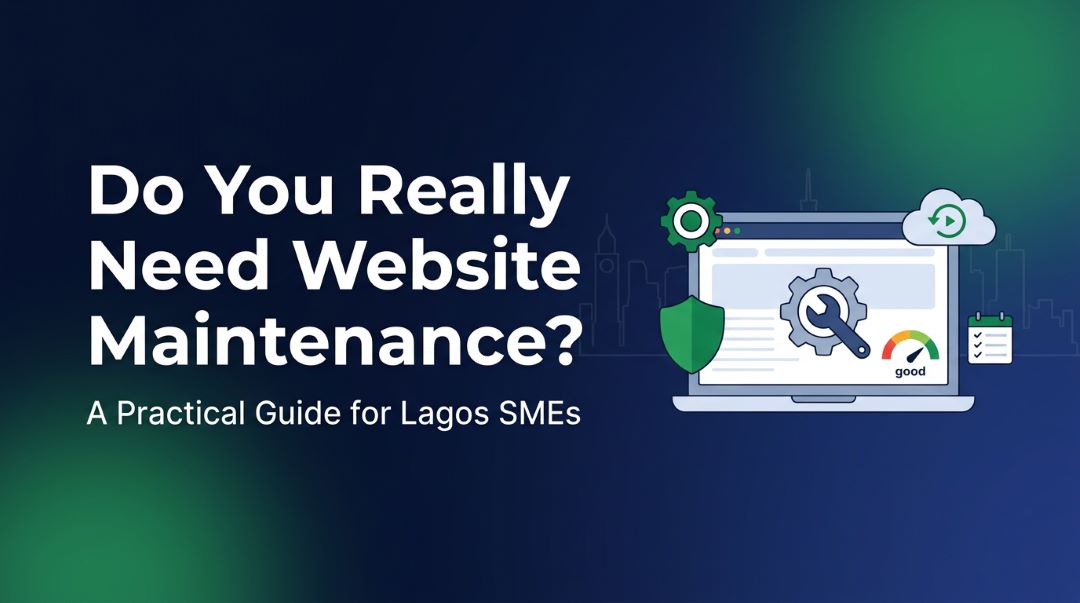
Website maintenance is the ongoing work of keeping your site secure, updated, fast, and working properly. It’s similar to servicing a car: you can ignore it for a while, but eventually the engine or brakes remind you.
Maintenance usually includes things like:
Updating the core system (e.g. WordPress), theme, and plugins
Security checks and protection against common attacks
Regular backups, so you can restore the site if something goes wrong
Fixing small bugs and broken links
Checking that forms, checkout and important pages still work
Basic speed and performance checks
Minor content changes and tweaks
Without these, your website slowly becomes more vulnerable, slower, and less useful for your customers.
Why Lagos SMEs can’t ignore website maintenance
1. Security risks and hacks
Most business sites today run on platforms like WordPress with multiple plugins. Those plugins and the platform itself release updates to fix bugs and close security holes. If you don’t update, your site is an easier target for automated attacks.
For SMEs, a hacked site can mean:
Customers seeing spam content or malicious redirects
Loss of trust if visitors get security warnings
Expensive emergency fixes and clean‑up, often costing more than regular maintenance
Regular maintenance greatly reduces the chance of this happening by keeping your software and security layers current.
2. Losing enquiries without knowing it
A form that stops working, a broken WhatsApp link, or an error on your checkout page can silently kill your leads and sales. Because many SMEs don’t check their websites daily, they may not notice for weeks.
Maintenance includes routine checks to confirm that:
Contact forms submit correctly and messages are delivered
WhatsApp/phone/email links work on mobile and desktop
Ecommerce carts and checkout flow are functional
That means fewer hidden leaks in your sales pipeline.
3. Speed and mobile experience
Lagos and Nigerian customers are often on mobile data and mid‑range phones. If your site is heavy, slow, or badly optimised for mobile, they will leave before they contact you or complete an order.
Over time, as you add images, plugins and content, websites naturally get heavier. Maintenance helps by:
Compressing and optimising images
Removing unused plugins and scripts
Adjusting caching and performance settings
This keeps your site loading quickly enough that visitors stay and take action.
4. Keeping information accurate and professional
Outdated information (wrong prices, old addresses, old staff, expired offers) makes your business look unprofessional and confuses customers.
Maintenance typically covers small content updates like:
Changing phone numbers, opening hours, or addresses
Updating staff profiles
Adjusting services, pricing tables, or product details
Adding new testimonials or case studies
These “little” updates add up to a site that reflects your real, current business.
What usually happens without maintenance?
If you never maintain your website, common scenarios include:
A plugin update automatically breaks the design or functionality
The site starts showing “critical error” messages
Contact forms stop sending emails
Spam or malware appears on the site
The site becomes noticeably slower on mobile
You lose organic search visibility because the site is too slow or insecure
At that point, you often need a one‑off rescue job—which can cost more than a year of reasonable maintenance.
What should be included in a website maintenance plan?
For a typical Lagos SME website (business or small ecommerce), a solid maintenance plan usually covers:
Technical updates and security
Core, theme and plugin updates
Security scans and basic firewall configuration
Uptime monitoring and quick reaction if the site goes down
Backups and restore
Regular automated backups (files + database)
Safe off‑site storage
Ability to restore quickly if something breaks
Performance & health checks
Speed tests on key pages
Fixing obvious performance bottlenecks (huge images, unused plugins)
Checking for broken links and basic errors
Content & minor design edits
A set number of hours each month for text changes, image swaps, small layout tweaks
Adding or updating simple pages/sections when needed
Reporting (even if simple)
Brief monthly or quarterly summary of what was done and any important issues found
More advanced plans can also include on‑page SEO tweaks, analytics reviews, and light conversion optimisation.
How often should website maintenance be done?
For most SMEs, maintenance is not a daily task, but it shouldn’t be yearly either. A good rhythm is:
Weekly / bi‑weekly
Review and apply security updates
Check uptime and run quick front‑end checks on key pages
Monthly
Deeper plugin/theme updates with testing
Backup checks
Fix broken links or visible layout issues
Basic speed check
Quarterly
Broader content review (services, pricing, team)
UX check on main flows (home → service → contact, or product → checkout)
Analytics review: visits, leads/orders, conversion rate
A proper maintenance plan bundles these tasks so you don’t have to remember them individually.
Do you really need a paid maintenance plan?
Not every business needs the same level of support, but you should be honest about your situation.
You might try to DIY maintenance if:
You (or someone on your team) is fairly technical and comfortable inside WordPress or your CMS
You have time each month to log in, update, test, and restore from backups if something breaks
You are okay accepting the risk and learning curve
You probably need a paid maintenance plan if:
Your website brings you regular leads or sales (especially for professional services or ecommerce)
You don’t have time or interest in touching technical things
A few days of downtime or broken forms would cost you real money or reputation
You’ve already had issues (hacks, “critical error” screens, sudden bugs)
In practice, many Lagos SMEs fall into the second group: the website is important, but there is no in‑house technical team. For them, maintenance is like paying a modest “insurance + support” fee rather than gambling with a key business asset.
How much should Lagos SMEs budget for website maintenance?
Exact fees depend on site size and complexity, but you can think in rough bands:
Small brochure site (few pages, no complex ecommerce)
Basic care: updates, security, backups, small edits
Typically a modest monthly fee for a professional to handle these tasks
Active lead‑generation or ecommerce site
More frequent updates, deeper checks, more content/UX tweaks
Higher monthly fee, but justified by the value of keeping leads and sales flowing
A simple rule of thumb: if your website is capable of bringing in far more than the maintenance fee in revenue or saved time, then some form of professional maintenance is worth it.
How I support Lagos SMEs with website maintenance
For my Lagos and Nigerian SME clients, maintenance is not just “clicking update”: it’s about keeping the website ready to do its job—bring in enquiries and sales. Typical support includes:
Regular updates and security checks
Backups and uptime monitoring
Fixing small issues before they become big problems
Helping with content updates and small design improvements
Suggesting simple changes to improve user experience and conversions over time
That way, you can focus on running your business while your website is quietly taken care of in the background.
Next step: check your current website health
If your site has not been maintained for months (or years), start with a quick health check:
Are updates pending?
Do forms and WhatsApp/call buttons still work?
Is your site secure (HTTPS) and reasonably fast on mobile?
Is your content up to date?
If you’d like help answering those questions, you can:
Request a website audit to understand your current risks and opportunities.
Or move straight into a maintenance plan that includes an initial clean‑up and then ongoing care.