
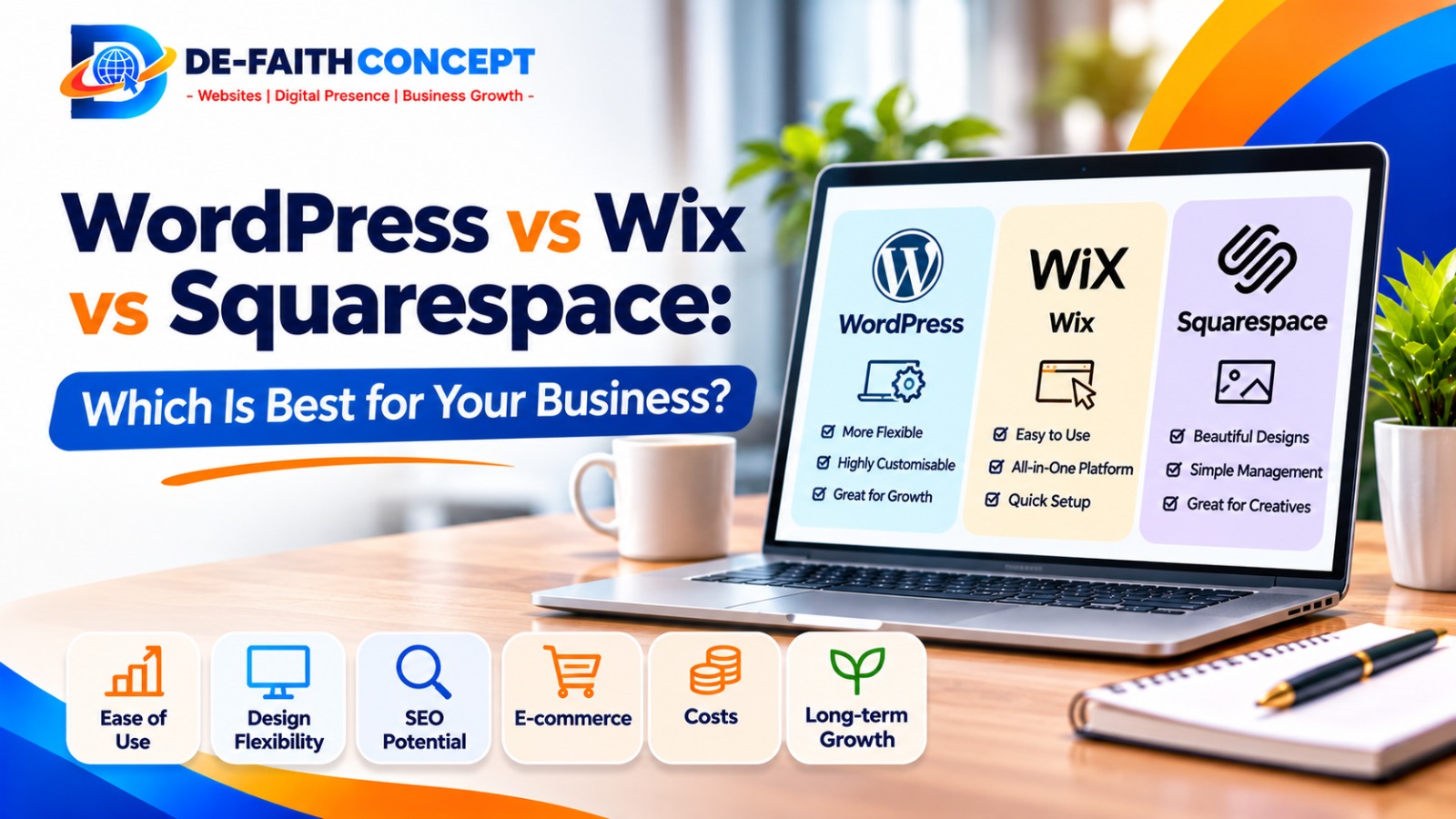
Choosing the right platform for your business website is an important decision. The platform you select can affect how your website looks, how easily you manage it, how much control you have over its features and how well it supports your business as it grows.
Three popular options often considered by small business owners are WordPress, Wix and Squarespace. All three can help you create a professional website, but they work differently and are suited to different needs.
So, which is best for your business: WordPress, Wix or Squarespace?
The answer depends on your budget, technical experience, business goals and the type of website you want to build.
In this guide, we compare the three platforms based on ease of use, design flexibility, SEO, e-commerce, costs, maintenance and long-term growth to help you make an informed decision.
WordPress vs Wix vs Squarespace: Quick Comparison
| Feature | WordPress.org | Wix | Squarespace |
| Best for | Growing businesses and customised websites | Beginners and DIY websites | Design-focused businesses |
| Ease of use | Moderate learning curve | Very easy | Easy |
| Design flexibility | Very high | High | Template-led |
| SEO control | Extensive | Good built-in tools | Good built-in tools |
| Hosting | Arranged separately | Included | Included |
| Plugins and extensions | Large plugin ecosystem | Wix App Market | More limited extensions |
| Maintenance | Usually your responsibility or your provider’s | Mostly platform-managed | Mostly platform-managed |
| Long-term flexibility | Very high | More platform-dependent | More platform-dependent |
This comparison focuses on self-hosted WordPress.org. WordPress.com is a separate hosted service with its own plans and features.
There is no universal winner. The best platform is the one that matches your business requirements and that you can manage properly.
1. What Is WordPress?
WordPress is an open-source content management system (CMS) that allows you to create and manage websites.
With self-hosted WordPress.org, you install the software through a hosting provider and manage your website using the WordPress dashboard.
You can use WordPress to build:
- Business websites.
- Blogs and online publications.
- Portfolio websites.
- E-commerce stores.
- Membership websites.
- Booking and appointment websites.
- More specialised websites with custom functionality.
One of WordPress’s biggest strengths is flexibility. You can choose from thousands of themes and extend your website’s functionality with plugins.
For example, you can add contact forms, SEO tools, security features, online payments, booking systems and e-commerce functionality.
Advantages of WordPress
Greater Customisation
WordPress gives you considerable control over your website’s appearance, structure and functionality. You can start with a theme and customise it or build a more tailored design.
Extensive Plugin Options
Plugins allow you to add features without developing every function from scratch. This makes WordPress suitable for businesses whose website requirements may change over time.
Strong SEO Flexibility
WordPress supports search-friendly website structures and can be extended with SEO plugins. You have substantial control over page titles, descriptions, URLs, redirects, structured data and other technical SEO settings.
Greater Hosting Flexibility
With self-hosted WordPress, you can choose your hosting provider and move your website to another compatible host when necessary.
Suitable for Long-Term Growth
A small business can begin with a simple WordPress website and expand it as its needs change. You can add new pages, publish articles, introduce e-commerce and integrate other services.
Disadvantages of WordPress
WordPress also has responsibilities that business owners should understand.
- You need to arrange hosting and a domain name.
- You or your provider must manage updates and backups.
- Poorly selected plugins can affect performance or security.
- Some customisations require technical knowledge.
- Maintenance needs to be handled consistently.
WordPress is not automatically difficult to use, but it generally requires more setup and management than an all-in-one website builder.
Who Should Choose WordPress?
WordPress is a strong option for:
- Businesses that want to attract customers through Google.
- Companies that publish regular blog content.
- Businesses that need customised functionality.
- Service providers that want to generate enquiries online.
- E-commerce businesses with growing requirements.
- Organisations that want more control over their website and hosting.
If your website is an important part of your long-term marketing strategy, WordPress is worth serious consideration.
2. What Is Wix?
Wix is a hosted website builder that allows users to create websites without managing a separate hosting account.
It provides templates, visual editing tools and built-in features that help business owners create websites with relatively little technical experience.
Wix is particularly popular among people who want to build and manage a website themselves.
You can use Wix to create:
- Small business websites.
- Personal websites.
- Portfolio websites.
- Restaurant websites.
- Booking and service websites.
- Online stores.
Advantages of Wix
Beginner-Friendly Editor
Wix provides a visual editing experience. You can add text, images, buttons and other elements to your pages without needing to write code.
Hosting Is Included
Because Wix is a hosted platform, you do not need to purchase and configure separate web hosting.
Built-In Business Features
Depending on your plan and setup, Wix offers tools for forms, bookings, marketing and online selling.
Templates and Design Options
Wix provides a wide selection of templates that can help you get a website started quickly.
Less Technical Maintenance
Wix manages much of the underlying platform infrastructure, reducing the technical work required from the website owner.
Disadvantages of Wix
Despite its convenience, Wix has limitations.
- Your website operates within the Wix platform.
- Advanced customisation may be more restricted than with WordPress.
- Some additional features require paid apps or higher-tier plans.
- You have less control over the underlying hosting environment.
- Moving to another platform may require rebuilding significant parts of your website.
A Wix website can work well for a simple business presence, but you should consider your future requirements before committing to it.
Who Should Choose Wix?
Wix may be suitable for:
- New businesses with simple website requirements.
- Freelancers and independent professionals.
- Small businesses that want to build their own website.
- Business owners who prefer an all-in-one platform.
- Businesses that need a straightforward website with basic booking or selling features.
If your priority is ease of use and a quick DIY setup, Wix is worth considering.
3. What Is Squarespace?
Squarespace is an all-in-one website-building platform known for its professionally designed templates and structured editing experience.
It is particularly popular with businesses and professionals who want an attractive website without managing hosting and many technical details themselves.
Squarespace can be used to build:
- Portfolio websites.
- Photography websites.
- Creative business websites.
- Personal brands.
- Restaurant websites.
- Small online stores.
- Service-based business websites.
Advantages of Squarespace
Professionally Designed Templates
Squarespace offers templates with carefully considered layouts, typography and visual presentation.
This makes it attractive to businesses that want a polished appearance.
Easy Website Management
The platform includes hosting and provides a structured environment for managing website content.
Built-In Business Tools
Depending on the plan and available features, you can manage products, bookings, forms and other business functions.
Consistent Design
Its structured editing system helps maintain a consistent visual appearance across website pages.
Less Technical Maintenance
Squarespace manages much of the underlying platform infrastructure, so business owners do not need to manage a separate hosting environment.
Disadvantages of Squarespace
Squarespace may not be ideal for every business.
- Customisation can be more limited than with WordPress.
- Its extension ecosystem is smaller than WordPress’s plugin ecosystem.
- Some advanced business requirements may need workarounds or external services.
- Moving to another platform can require rebuilding parts of your website.
- Some features depend on the subscription plan you choose.
Who Should Choose Squarespace?
Squarespace may be suitable for:
- Photographers.
- Designers and creative professionals.
- Personal brands.
- Consultants with straightforward website needs.
- Businesses that prioritise visual presentation.
- Small businesses that want a managed website platform.
If your website is mainly a visual portfolio or a simple business presence, Squarespace may be a good fit.
4. WordPress vs Wix vs Squarespace: Which Is Easiest to Use?
Ease of use matters because you may need to update your website regularly.
Here is how the platforms generally compare:
Wix: Often the easiest for beginners who want to build a website themselves using a visual drag-and-drop editor.
Squarespace: Also beginner-friendly, with a more structured editing experience and professionally designed templates.
WordPress: Requires more initial setup, especially when arranging hosting, selecting themes and configuring plugins. Once properly configured, everyday tasks such as publishing blog posts and editing pages can be straightforward.
If you have little technical experience and want to build everything yourself, Wix or Squarespace may feel more comfortable.
If you work with a professional website designer, WordPress can be configured so you can manage everyday content without handling all the technical setup.
5. Which Platform Is Best for SEO?
Search engine optimisation (SEO) helps your website appear in search results when potential customers look for products or services related to your business.
All three platforms can support SEO. However, the level of control and the tools available differ.
WordPress SEO
WordPress offers extensive SEO flexibility through its built-in content management features, themes and plugins.
You can manage:
- Page titles and meta descriptions.
- URL structures.
- XML sitemaps.
- Image alt text.
- Redirects.
- Structured data.
- Internal linking.
- Technical SEO configurations.
This makes WordPress particularly useful for businesses that want to publish regular articles, target multiple keywords and build a long-term content strategy.
Wix SEO
Wix provides built-in SEO tools that help users manage important settings such as page titles, meta descriptions, URLs and other search optimisation features.
It is suitable for businesses that want accessible SEO tools without installing and configuring multiple plugins.
Squarespace SEO
Squarespace also provides built-in SEO features, including options for page titles, descriptions and search-friendly website settings.
It can work well for businesses with relatively straightforward SEO requirements.
Which Platform Wins for SEO?
WordPress offers the greatest flexibility and technical control, but that does not automatically mean every WordPress website will rank higher.
A well-structured Wix or Squarespace website can also perform well in search results.
Your rankings depend on factors such as:
- The quality and usefulness of your content.
- Website speed and performance.
- Mobile usability.
- Technical SEO.
- Website structure.
- Relevant backlinks.
- User experience.
- Competition for your target keywords.
Our Recommendation: If organic search traffic and content marketing are important parts of your growth strategy, WordPress is a strong long-term choice because of its flexibility.
6. Which Platform Is Best for E-Commerce?
If you intend to sell products or services online, you should compare the e-commerce capabilities of each platform.
WordPress and WooCommerce
WordPress can be extended with WooCommerce to create an online store.
WooCommerce provides tools for:
- Product management.
- Shopping carts.
- Checkout.
- Order management.
- Payment integrations.
- Shipping configurations.
- Store extensions.
It offers considerable flexibility, but hosting, maintenance, security and payment integration need to be planned properly.
Wix E-Commerce
Wix offers built-in e-commerce features on eligible plans.
Depending on the plan and available payment services, you can manage products, accept payments and handle orders from the platform.
It may be suitable for smaller stores that prefer an integrated system.
Squarespace E-Commerce
Squarespace includes online selling tools for businesses that want to sell products and services through a visually polished website.
It may work well for smaller product catalogues and businesses that value design and straightforward store management.
Which Is Best for Online Stores?
WordPress with WooCommerce is worth considering if you need extensive customisation, integrations and room to expand.
Wix and Squarespace may be more convenient if you want an integrated store without managing as many technical components.
Before choosing, confirm that your preferred payment provider, shipping services and required business features are supported in your country.
7. WordPress vs Wix vs Squarespace: Which Is More Affordable?
The cheapest platform is not necessarily the one with the lowest starting subscription.
You should consider the total cost of building, operating and maintaining your website.
WordPress Costs
The WordPress software itself is free, but a self-hosted website may involve:
- Domain registration.
- Web hosting.
- Premium themes, if required.
- Paid plugins, if required.
- Website design and development.
- Maintenance and security.
- Website backups.
The final cost depends on your hosting provider, website requirements and how much work you handle yourself.
Wix Costs
Wix generally uses subscription plans. The price depends on the plan, billing period, location and features you need.
Additional costs may include premium apps, business email, domain renewals and other services.
Squarespace Costs
Squarespace also uses subscription plans. Costs depend on the selected plan, billing period, region and business features required.
You should also consider domain renewals, email services and any additional subscriptions.
How to Compare Costs Properly
Before choosing, ask:
- What is the initial setup cost?
- What is the renewal price?
- Is hosting included?
- Is a domain included, and for how long?
- Are business email services included?
- Are the features I need available on the plan?
- Will I need paid apps, plugins or extensions?
- What will maintenance cost over time?
Always check the current pricing pages before purchasing. Platform prices and plan features can change.
8. Website Ownership and Flexibility: An Important Difference
This is one of the most important factors to consider when choosing a platform.
With self-hosted WordPress, you control the website files and database through your hosting arrangement. You can generally move your website to another compatible hosting provider.
Wix and Squarespace are hosted platforms. They manage the infrastructure and website environment for you, but moving to another platform may require rebuilding the design and transferring content manually or through limited export tools.
This does not mean Wix or Squarespace are poor choices. Their convenience is a major advantage.
However, if you want greater control over where your website is hosted and how it develops, self-hosted WordPress offers more flexibility.
Before choosing any platform, understand who controls your domain, hosting account, website content and administrative access.
9. Which Platform Is Best for Different Types of Businesses?
The best choice becomes clearer when you consider your business model.
| Business Type | Platform Worth Considering | Why |
| Local service business | WordPress or Wix | Lead generation and service pages |
| Blog or content-focused business | WordPress | Flexible publishing and SEO tools |
| Photography portfolio | Squarespace | Design-focused templates |
| Creative personal brand | Squarespace or Wix | Visual presentation and easy editing |
| Growing professional services company | WordPress | Flexibility and expansion |
| Small DIY business website | Wix | Beginner-friendly editing |
| Growing online store | WordPress with WooCommerce | Customisation and extensions |
These are starting recommendations, not strict rules. All three platforms can support different types of businesses when configured appropriately.
10. Common Mistakes to Avoid When Choosing a Website Platform
Before making your decision, avoid these common mistakes.
Choosing Only Because the Platform Is Cheap
A low subscription price may not include every feature your business needs. Consider the total cost over time.
Ignoring Future Business Growth
Your website may start with five pages, but you may later need a blog, online store, booking system or additional integrations.
Choose a platform that can support your realistic future requirements.
Assuming SEO Is Automatic
No platform guarantees high Google rankings. You still need useful content, good website structure, technical optimisation and a consistent SEO strategy.
Ignoring Maintenance
Even an excellent website needs updates, security checks and backups. Understand who will manage these responsibilities.
Not Checking Ownership and Portability
Make sure you understand what happens to your content, design, domain and website data if you decide to move to another provider.
11. So, Which Is Best: WordPress, Wix or Squarespace?
Here is our final recommendation:
Choose WordPress If:
- You want more control over your website.
- SEO and content marketing are important to your business.
- You need custom features or integrations.
- You expect your website to grow over time.
- You want greater flexibility over hosting and website management.
Choose Wix If:
- You want to build your own website quickly.
- You prefer drag-and-drop editing.
- Your website requirements are relatively simple.
- You want hosting and many features managed in one place.
Choose Squarespace If:
- Visual presentation is a major priority.
- You want professionally designed templates.
- Your website requirements are straightforward.
- You prefer a managed platform with structured editing.
For many growing small businesses, we would recommend considering WordPress first, particularly when the website will play an important role in attracting customers through Google and supporting future business growth.
However, the best decision is the one that fits your actual requirements, budget and ability to manage the website.
Frequently Asked Questions
Is WordPress Better Than Wix?
WordPress offers more flexibility, customisation and control over hosting. Wix is generally easier for beginners who want an all-in-one website builder. The better option depends on your business needs.
Is Squarespace Better Than WordPress?
Squarespace may be easier for businesses that want polished templates and simple website management. WordPress offers greater flexibility and more options for custom functionality. Neither is automatically better for every business.
Which Platform Is Best for Small Businesses?
WordPress, Wix and Squarespace can all work for small businesses. WordPress is worth considering for long-term growth and SEO flexibility, Wix for easy DIY website creation and Squarespace for design-focused websites.
Can I Move My Wix or Squarespace Website to WordPress?
You can move some content, such as text and images, but the process is not always automatic. Website layouts, functionality and design may need to be rebuilt on WordPress.
Is WordPress Free to Use?
The self-hosted WordPress software is free and open source. However, you will generally need to pay for hosting, a domain and any premium themes, plugins or professional services you choose.
Which Platform Is Best for SEO?
All three can support SEO. WordPress offers extensive technical flexibility, while Wix and Squarespace provide accessible built-in SEO tools. Your content quality, website performance and optimisation strategy remain important regardless of platform.
Final Thoughts: Choose a Website Platform That Supports Your Business Goals
Your website is more than an online address. It is an important part of how customers discover your business, learn about your services and decide whether to work with you.
WordPress, Wix and Squarespace each have strengths. The right choice depends on how much control you want, the features you need and how you plan to grow.
If you are unsure which platform is suitable for your business, getting professional advice before investing can help you avoid unnecessary costs and future rebuilding.
Need Help Choosing or Building the Right Website?
De-Faith Concept provides website design and development solutions for businesses looking to build a professional online presence.
Explore our website design services or view our projects to see how we can help.
Ready to discuss your website? Contact De-Faith Concept to get started.